

A take-home assignment for a remote job can start as a short sample and grow into several deliverables. Save the original brief and agree on an active-work budget before starting. If a new request takes you outside that budget, tell the hiring team what fits, what changed, and when you can deliver it. That gives both sides time to agree on a smaller sample, a new deadline, or a paid trial.
Write down the agreed assignment
Capture the required output, evaluation criteria, estimated working time, and deadline with its time zone. Include setup, research, review, and uploading in your estimate. Ask whether follow-up revisions are part of the assignment and which tools or outside materials are allowed. Confirm the role’s approved country, state, and work hours separately with the recruiter or use the remote job location guide to check the listing.
Keep the calendar window and time budget on separate lines. GitLab’s candidate handbook for its support team gives applicants six calendar days to submit a written assessment and asks them to get in touch if they need more time. The six days describe the submission window. Automattic’s hiring overview describes both shorter practical tests and longer trials for some roles. Its design hiring FAQ provides an example of a paid trial stage. Ask which terms apply to your own role and get them in writing.
Know when to pause and ask
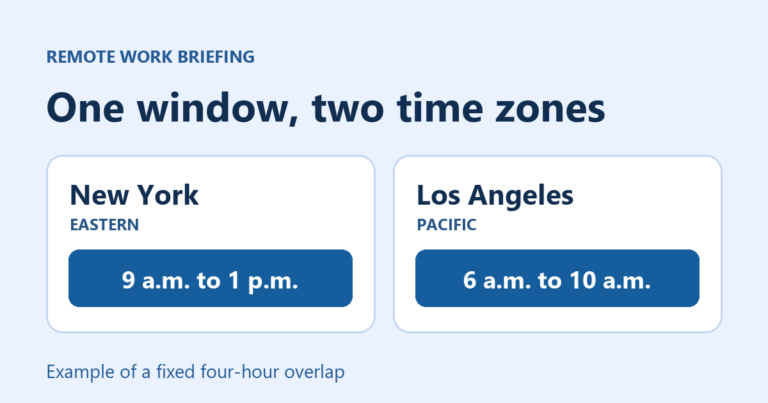
Imagine a hiring team expects a response to two fictional support tickets and a short explanation in 90 minutes. You reserve 10 minutes to read the brief, 45 for the replies, 20 for the explanation, and 15 to check and submit. It is due Tuesday, November 24, 2026, at 5 p.m. Eastern, which is 2 p.m. Pacific. All times in this example are hypothetical.
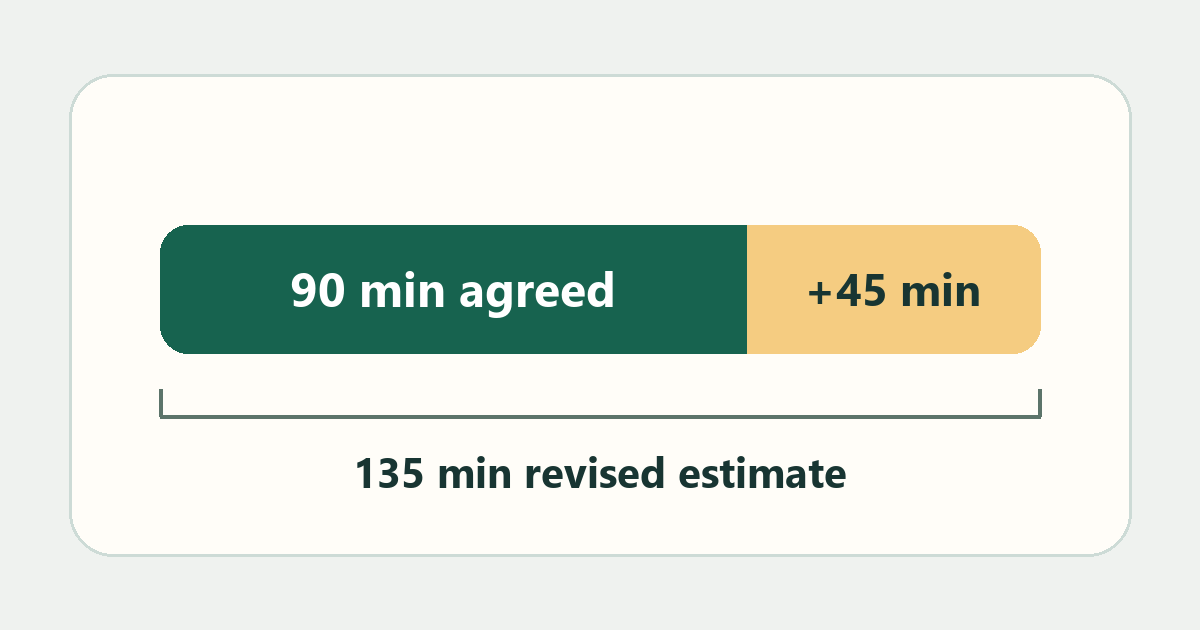
Fifty minutes in, the recruiter also asks for a FAQ ready to publish. You estimate another 45 minutes for that new item, taking the total to 135 minutes. The original two responses and explanation still fit the 90-minute budget. Send a short note before doing the extra work. Offer to finish the original brief or, if evaluating the FAQ matters more, substitute one fictional FAQ entry for part of the original sample. If the team wants the full publishable document, ask how it will use the work and whether it can agree to a paid scope.
Use this scope-change checklist
- Finish the original sample when the required work still fits the agreed budget. Label optional work you skipped and submit through the stated channel.
- Ask for a smaller sample when requested additions exceed the budget. Name the original deliverable, the new request, and the smaller piece that could demonstrate the same skill.
- Discuss a paid scope when the employer asks for a publishable deliverable, use of live customer material, or repeated revisions. Confirm intended use, access permissions, the time budget, and whether any work is paid before beginning the added task. Offer fictional or sanitized inputs if appropriate.
Reply before the deadline
Try: “I can deliver the two sample replies and rationale within the agreed 90 minutes by Tuesday at 5 p.m. Eastern. I estimate the new FAQ will add 45 minutes. Would you prefer that I keep the original scope, swap in a short sample FAQ entry, or discuss a separate paid assignment for the publishable version?”
Keep the reply with the brief and submit the agreed version. For a follow-up conversation, prepare a short explanation of how you made the decision and what you would check with more time. The remote interview preparation guide shows how to tie those decisions to the role.
Choose your next step
Keep your momentum with practical tools and verified remote-work opportunities.
Related guides for your next step
A fresh, topic-aware mix from the WorkinVirtual library. Suggestions rotate regularly.
Discuss this guide
Ask a useful question, share relevant experience, or add a practical correction. Helpful contributions publish immediately after automated safety checks.
Start a thoughtful discussion
Be the first member to add a question or practical insight about this topic.
Join the discussion
Sign in with your verified WorkinVirtual account to contribute. Automated safety checks keep posting quick and protect the community.
Sign in to contribute