

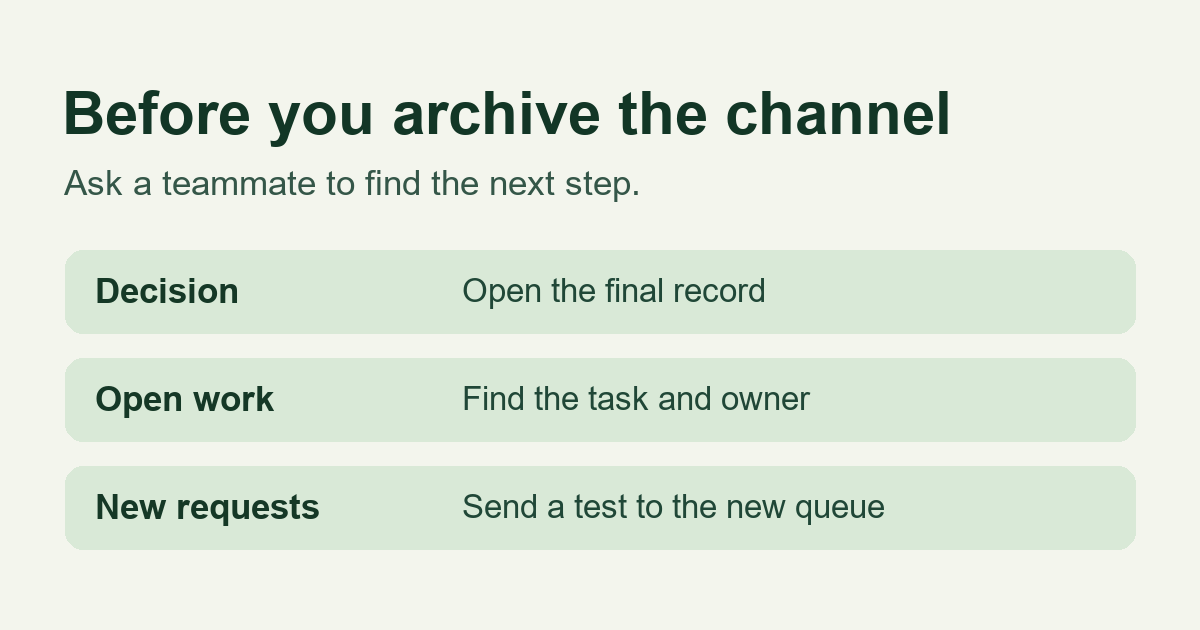
Before archiving a Slack project channel, make sure the next person can find the final decision, pick up any open work, and submit a new request in the right place. Ask them to test those three actions while the old channel is still open.
Move open work before closing the channel
Slack says that archiving closes a channel to new activity and that message history is searchable on paid plans. Check your workspace’s retention settings before depending on old messages. Keep the final decision in the team’s approved project record and make sure the next owner can open it. Leave sensitive material in the approved location with the appropriate access.
List the open items and give each a destination, owner and due date. Include the time zone when there is a specific deadline. If you find a request form or workflow that people still use, check what it connects to before making any change.
Test the replacement from a teammate’s account
For channels set up with a Slack template, Slack documents that canvases and lists can remain accessible while workflows are unpublished during archiving. Check the actual setup with the channel manager. If the team still needs an intake workflow, have its owner prepare the replacement and confirm that it works before the archive.
Suppose a U.S. team has finished its billing pilot. The old channel contains the launch decision and a template workflow used to request corrections. Before the channel closes, ask a billing teammate who does not manage it to run this check with a fictional request.
| What to test | What counts as a pass |
|---|---|
| Decision | The teammate can open the final launch decision from the active billing workspace. |
| Open work | The owner can find the remaining correction, its status and its due date in the live tracker. |
| New requests | The fictional correction reaches the active queue and the person who will respond can see it. |
Leave a last message and verify the handoff
Once those checks pass, post a short closure note with the link to the decision record, the new place to ask questions, the intake link and the owner. Use the remote work status update templates to summarize work still in progress. Have an authorized teammate archive the channel, then test the new intake link again from the active location.
Choose your next step
Keep your momentum with practical tools and verified remote-work opportunities.
Related guides for your next step
A fresh, topic-aware mix from the WorkinVirtual library. Suggestions rotate regularly.




Discuss this guide
Ask a useful question, share relevant experience, or add a practical correction. Helpful contributions publish immediately after automated safety checks.
Start a thoughtful discussion
Be the first member to add a question or practical insight about this topic.
Join the discussion
Sign in with your verified WorkinVirtual account to contribute. Automated safety checks keep posting quick and protect the community.
Sign in to contribute