

Before relying on Zoom voice translation in a meeting, ask one guest to join a rehearsal the same way they will join the real call. Check whether they hear translated speech, whether they can change the language or volume, and whether they understand the action you need them to take.
Check what each person can hear
Zoom’s Voice Translator instructions describe a listening mode that generates spoken translation from meeting speech. In that mode, a participant with access selects the language they want to hear. The documentation lists an assigned Live Translation add-on or ZoomMate license, a supported app, and an enabled account setting among the requirements.
Zoom’s October 19, 2026 release notes describe a separate option to project translated speech to others. When that option is available and enabled, a guest can hear the projected speech without their own add-on. Zoom says that adjusting Voice Translator settings such as language and volume still requires access. Test the option you intend to use with the guest’s actual account and device.
Run a rehearsal with the actual guest setup
Use fictional details and two people who can confirm the meaning in the source and target languages. For example, a U.S. operations team could say, “The sample shipment is on hold. Morgan will confirm its release by 2 p.m. Eastern on Thursday.” Repeat the test with a question from the guest if the real meeting needs a two-way discussion.
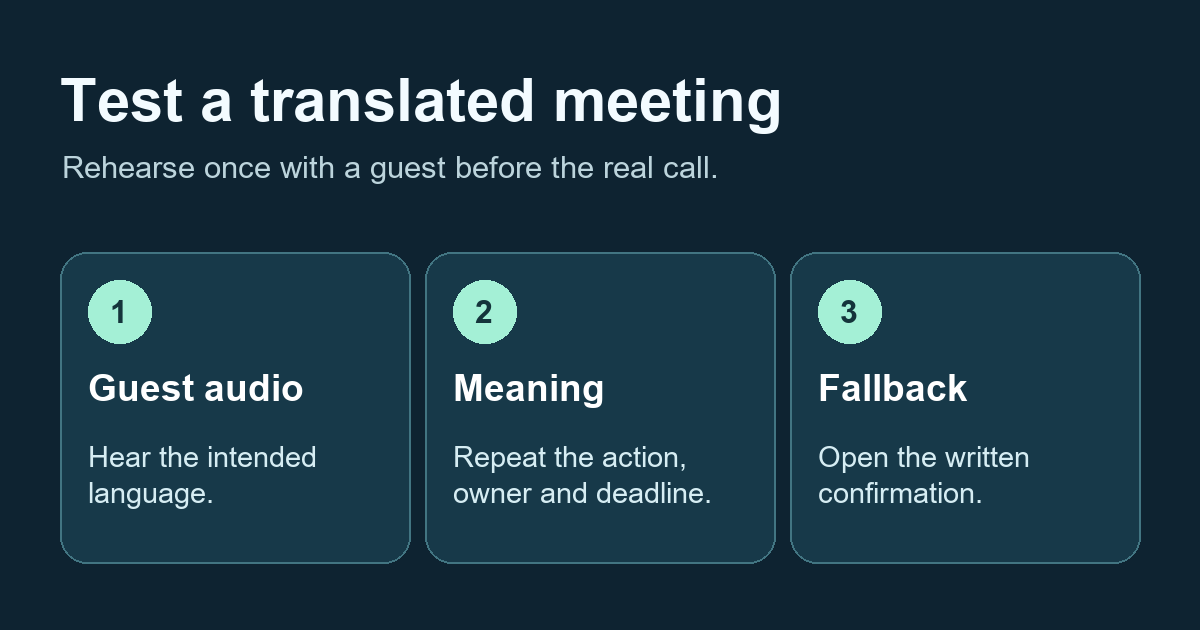
| Check | What counts as a pass |
|---|---|
| Guest audio | The guest hears the target language using the account, device and join method they will use at the meeting. |
| Meaning | The guest can state the shipment status, who will act and the deadline with its time zone. |
| Fallback | Both people can open the approved written channel and find the same confirmed action and deadline. |
If the guest hears only the original audio or misses a key detail, pause and agree on a fallback before the real meeting. For a sensitive or consequential discussion, ask what interpretation arrangements your organization approves. Zoom says translation quality varies with factors such as audio quality and the languages used.
Confirm the decision in writing
Close by posting the agreed action, owner and deadline with its time zone in a channel the guest can access. Have someone who understands both languages verify the wording when the decision depends on the translation. If the call ends before anyone confirms the action, follow up with a short remote work status update.
Choose your next step
Keep your momentum with practical tools and verified remote-work opportunities.
Related guides for your next step
A fresh, topic-aware mix from the WorkinVirtual library. Suggestions rotate regularly.




Discuss this guide
Ask a useful question, share relevant experience, or add a practical correction. Helpful contributions publish immediately after automated safety checks.
Start a thoughtful discussion
Be the first member to add a question or practical insight about this topic.
Join the discussion
Sign in with your verified WorkinVirtual account to contribute. Automated safety checks keep posting quick and protect the community.
Sign in to contribute