


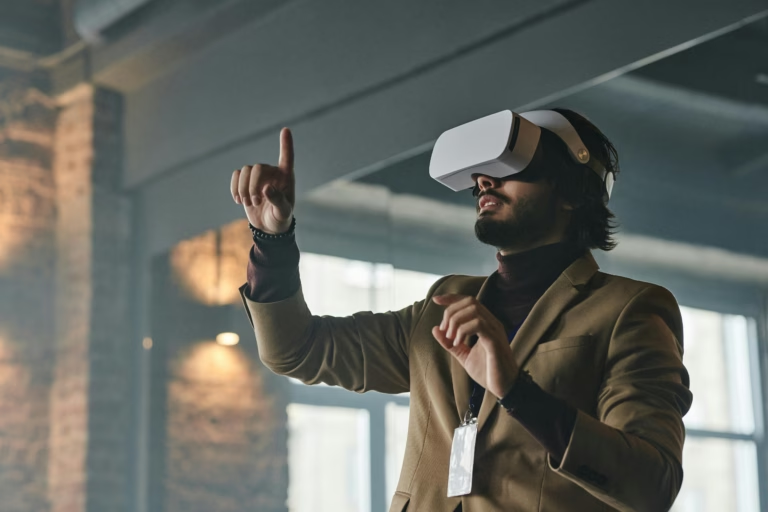
VR and AR improve work only when immersion removes a specific constraint. Virtual reality can provide repeatable practice for rare, costly or dangerous scenarios; augmented reality can place instructions or expert guidance beside a real task. For ordinary documents and meetings, a laptop may remain faster, cheaper and more accessible. Start with the workflow and error cost, not with the headset.
VR, AR and mixed reality
VR replaces most of the user’s visual environment with a simulated one. AR overlays digital information on the physical world, often through glasses, a tablet or phone. “XR” is an umbrella term. The categories matter because they impose different safety, privacy, content and integration requirements.
An immersive simulation can let a trainee repeat a procedure without consuming equipment. An AR workflow can highlight the next inspection step. Neither automatically creates better learning: the practice must represent the real decisions and provide useful feedback.
Workplace use cases with a clear rationale
Training: practise emergency response, equipment procedures, customer conversations or spatial tasks where repetition in reality is costly.
Design and ergonomics: review layouts, reach, visibility and movement before constructing a full-scale prototype.
Field service: show contextual instructions or connect a worker to a remote expert while preserving hands for the task.
Product and facility review: let stakeholders inspect scale and spatial relationships earlier.
Accessibility and exposure planning: simulate barriers or hazards, provided affected workers participate in the evaluation and simulation is not treated as proof of real-world safety.
Virtual meeting rooms are not automatically a strong use case. If participants mainly read slides and speak, video plus shared documents may impose less friction.
XR use-case scorecard
Score each item zero, one or two:
| Question | 0 | 1 | 2 |
|---|---|---|---|
| Does space or embodied practice matter? | no | partly | essential |
| Is real practice costly or hazardous? | low | moderate | high |
| Can success be measured? | no | proxy only | direct metric |
| Is content reusable? | one-off | occasional | repeated |
| Can most users participate safely? | major barriers | accommodations needed | supported |
A low total suggests video, desktop simulation, checklists or supervised practice may be better.
Run a bounded pilot
Choose one task and a comparison condition. Define a baseline such as error rate, completion time, knowledge retention, instructor hours or travel avoided. Recruit representative users, including people who wear glasses, experience motion sensitivity or need accessibility accommodations. Train them on the device itself so interface confusion is not mistaken for task learning.
Record adverse effects, dropouts and support burden as well as successes. Compare total cost: hardware, device management, content production, cleaning, storage, network capacity, licences, integration and updates. End the pilot if the use case cannot meet a predefined threshold.
Worker safety, privacy and governance
Headsets can create motion sickness, eye strain, collision risks and exclusion. Establish session limits, a clear physical area, seated options and an immediate stop procedure. Occupational and medical requirements vary; qualified professionals should assess high-risk settings.
Devices may collect voice, video, location, gaze, hand movement or performance data. Minimise collection, state the purpose, set retention limits and restrict access. Do not use biometric-like signals to make unexplained employment decisions.
Skills and careers
XR work spans instructional design, 3D art, software engineering, product management, safety, human factors, device administration and data privacy. A portfolio should explain the workplace problem, user research, design trade-offs and measured result—not merely show a visually impressive scene.
How to apply for XR roles: verify the live employer listing, map its required engine or platform skills to projects, document performance and accessibility choices, and prepare a walkthrough of one failed assumption. Avoid unpaid “tests” that ask for production-ready proprietary content.
Quick questions
Is VR training always better than video? No. It is most defensible when spatial practice, safe repetition or realistic decisions matter.
Can phones deliver AR? Yes, and a phone or tablet can be a cheaper pilot than specialised glasses.
How should ROI be measured? Compare performance, errors, retention and total delivery cost against the best realistic alternative.
What is the biggest implementation mistake? Buying devices before defining the task, users and success metric.
Choose your next step
Keep your momentum with practical tools and verified remote-work opportunities.
Related guides for your next step
A fresh, topic-aware mix from the WorkinVirtual library. Suggestions rotate regularly.



Discuss this guide
Ask a useful question, share relevant experience, or add a practical correction. Helpful contributions publish immediately after automated safety checks.
Start a thoughtful discussion
Be the first member to add a question or practical insight about this topic.
Join the discussion
Sign in with your verified WorkinVirtual account to contribute. Automated safety checks keep posting quick and protect the community.
Sign in to contribute