

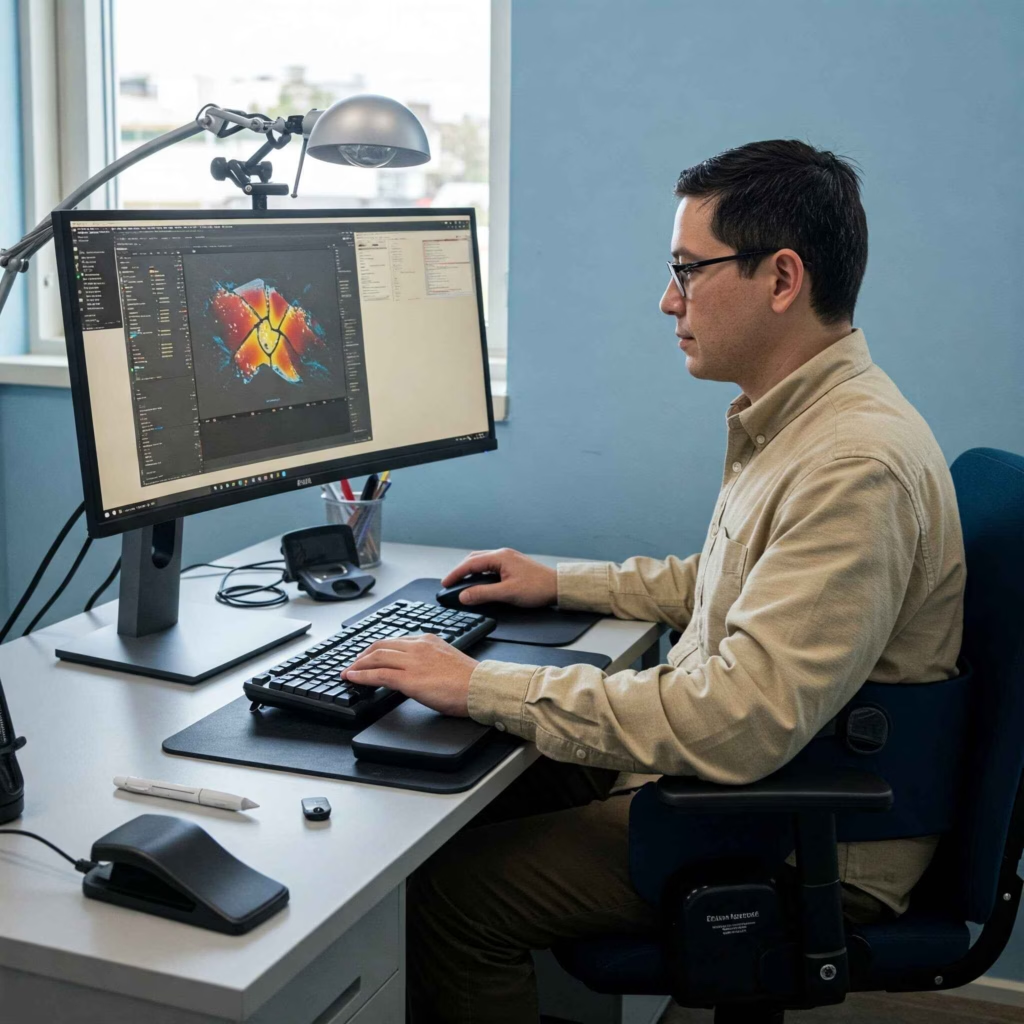
Choose assistive technology by starting with the task that creates friction, not with a bestselling product. Describe what you need to read, hear, type, speak, remember, navigate, attend, or control; note the device, operating system, workplace apps, environment, fatigue, privacy, and support constraints. Shortlist options from trustworthy accessibility resources, trial them with representative work, and record success, effort, compatibility, reliability, and side effects. Involve the user throughout, and use an employer accommodation or qualified specialist route when appropriate.
Start with a functional needs map
Break work into concrete activities: logging in, reading documents, navigating websites, joining video calls, hearing speech, taking notes, producing content, handling email, coding, using line-of-business software, switching tasks, or operating hardware. Record where the barrier occurs and what a successful outcome looks like. One person may need several modest adjustments rather than one specialized device.
Include context. A tool that works in a quiet home may fail in an open office. A screen reader may work in the browser but not with an inaccessible internal application. Speech recognition can be affected by noise, language, voice variation, fatigue, privacy, or network conditions. Captions may differ in accuracy and speaker attribution. Preferences and needs can change, so avoid treating a diagnosis as a fixed product prescription.
Create a safe shortlist
Consider built-in operating-system and application accessibility features before purchasing. Categories can include screen readers, magnification, contrast and display controls, text-to-speech, speech recognition, alternative keyboards or pointing devices, switch access, captions, transcripts, hearing-device connectivity, reminders, focus supports, ergonomic controls, and accessible document tools.
Check supported platforms, keyboard access, accessible setup, data collection, cloud processing, offline behavior, languages, update policy, support, training, licensing, return terms, and interoperability with required workplace systems. Accessibility claims should be tested, not accepted from marketing alone. For medical devices, clinical questions, or physical discomfort, consult an appropriately qualified professional.
Run a representative trial
Choose three to five high-value tasks and establish a baseline: completion, errors, assistance, fatigue, discomfort, confidence, and time where meaningful. Trial one change at a time when possible. Use realistic but nonconfidential content. Test setup, recovery after updates, compatibility with authentication, meetings, documents, and any required virtual desktop.
Record what improved, what became harder, training needs, privacy effects, and failure recovery. Success is not simply speed; independence, accuracy, comfort, participation, and sustainable energy may matter more. A short trial should not force a final decision when learning or adaptation takes time.
Workplace accommodation and disclosure
If the technology is needed for recruitment or work, follow the employer’s accommodation route and applicable local rules. A useful request can describe the barrier, affected essential task, proposed adjustment, evidence needed, and a plan to evaluate effectiveness. The person should not be required to disclose more health information than the lawful process needs.
Employers should test compatibility with security, privacy, procurement, support, and business-continuity controls without treating accessibility as optional. Alternative methods may be necessary when a hiring platform, assessment, meeting tool, or internal system is inaccessible. This article does not determine legal entitlement; official jurisdictional guidance and qualified advice control.
Application process and workplace request
For a hiring assessment or workplace request, use the organization’s official accommodation contact, describe the task barrier and proposed adjustment, and ask how effectiveness will be evaluated. Keep a dated record of requests, responses, trials, and agreed support. Requirements differ by jurisdiction, so consult the applicable authority or qualified adviser when rights or documentation are unclear.
Practical decision worksheet
Create columns for task, barrier, current workaround, desired outcome, candidate tool or adjustment, platform compatibility, setup effort, training, privacy, reliability, cost, trial dates, observed outcome, user preference, support owner, and next review. Score only factors the user considers important. Capture direct comments instead of converting every experience into a number. Agree on a fallback for outages or updates.
Engagement checklist
- Is the barrier described as a task and context rather than an assumption?
- Did the user define the outcome and priorities?
- Were built-in accessibility features considered?
- Does the option work with required apps, formats, and authentication?
- Are language, privacy, cloud processing, and offline behavior understood?
- Was it tested with representative, nonconfidential work?
- Were learning time, fatigue, comfort, and reliability recorded?
- Is technical support and update ownership clear?
- Is there a fallback if the tool fails?
- Is the review date scheduled?
Safety and stale cleanup
Remove static “best tool” rankings, unsupported medical claims, guaranteed legal outcomes, and product claims without a dated test. Do not ask users to expose diagnosis details in a public worksheet. Avoid uploading employer or health data to an unapproved trial service. Keep vendor examples dated and label affiliate relationships. Accessibility should be verified with disabled users and standards-based testing, not an automated score alone.
FAQ
Is assistive technology only specialized hardware?
No. It can include built-in software, settings, services, alternative input, captions, or workflow changes.
Which tool is best for a diagnosis?
There is no universal answer. Start with the individual’s tasks, context, preferences, platforms, and trial evidence.
Must I tell my employer my full medical history?
Requirements vary. Use the official accommodation process and share only what that lawful process requires.
Do WCAG results prove my workplace is accessible?
No. Standards inform testing, but real workflows, documents, applications, devices, and user experience also matter.
Internal links
- Accessible remote-work setup guide
- Inclusive remote meetings checklist
- Remote-work accommodation request worksheet
- Job application accessibility guide
Sources
- W3C WCAG overview: https://www.w3.org/WAI/standards-guidelines/wcag/
- W3C UAAG overview: https://www.w3.org/WAI/standards-guidelines/uaag/
- W3C ATAG overview: https://www.w3.org/WAI/standards-guidelines/atag/
- U.S. ADA employment guidance: https://www.ada.gov/topics/employment/
- U.S. Access Board: https://www.access-board.gov/
- Job Accommodation Network: https://askjan.org/
- UK Access to Work: https://www.gov.uk/access-to-work
Choose your next step
Keep your momentum with practical tools and verified remote-work opportunities.
Related guides for your next step
A fresh, topic-aware mix from the WorkinVirtual library. Suggestions rotate regularly.






Discuss this guide
Ask a useful question, share relevant experience, or add a practical correction. Helpful contributions publish immediately after automated safety checks.
Start a thoughtful discussion
Be the first member to add a question or practical insight about this topic.
Join the discussion
Sign in with your verified WorkinVirtual account to contribute. Automated safety checks keep posting quick and protect the community.
Sign in to contribute