


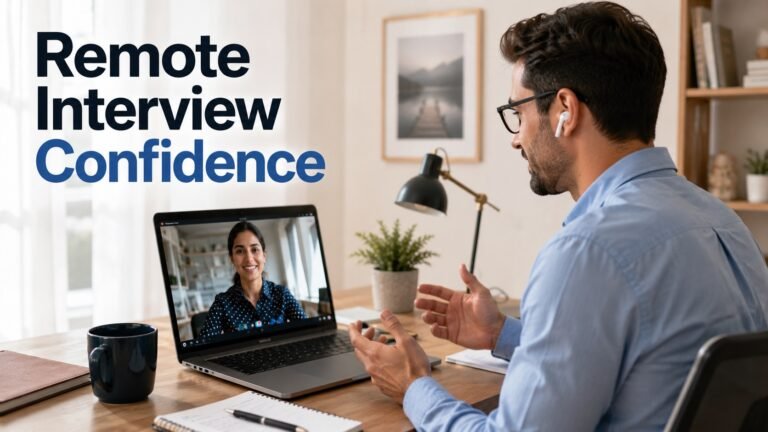
Prepare for a remote interview by turning the official job description into six evidence stories: priority outcome, difficult problem, collaboration, mistake, conflict, and learning. For each, state context, your decision, action, measurable result, limitation, and what changed. Verify the interviewer and platform, test audio, camera or phone, internet, accessibility, lighting, notifications, and a backup route. Keep the job description and concise notes visible, answer the question before adding detail, ask role-specific questions, and record lessons immediately afterward.
Build the interview evidence map
Extract the first responsibilities, must-haves, customers, tools, work model, and risks. Map each to one example. A story should be short enough to follow but detailed enough to verify: situation, task or decision, action, result, and reflection. Clarify what the team did and what you did.
Use numbers only when you can explain the definition and period. If the result was qualitative, describe the evidence: stakeholder approval, reduced ambiguity, safer process, resolved complaint, clearer documentation, or a decision reversed after testing. Prepare one honest failure and one example where you challenged an unsafe or unethical request.
Research the role and interviewers safely
Use the employer’s official site, job description, product or service pages, and public professional profiles. Verify the recruiter’s domain and interview link through the application account. Do not investigate private personal information or assume a person’s beliefs from social media.
Write five questions: what outcome matters in the first months, how decisions and feedback work remotely, which stakeholders and time zones are involved, how performance is measured, and what the remaining process is. Ask location, schedule, travel, equipment, compensation, or work authorization respectfully when not clear.
Test the environment and backup
Run the actual platform on the intended device. Test microphone, speaker, camera if required, captions or assistive technology, display name, background, power, updates, bandwidth, and screen sharing. Close unrelated apps and private notifications. Keep a charged phone, interviewer contact, and relevant document available.
If a platform, timed assessment, or video format creates an accessibility barrier, request an accommodation through the employer’s official route. The process and rights vary; describe the barrier and needed adjustment without publicly exposing medical details.
Answer clearly in the conversation
Pause, identify the question, and answer first. Add the evidence story, result, and learning. Ask for clarification rather than guessing. For technical or case tasks, state assumptions, constraints, risk, alternatives, and validation. Do not pretend to know confidential employer information.
Remote interviews can make turn-taking harder. Use concise signposting, leave space, and confirm whether you answered. Look at the camera when natural, but do not treat eye contact or constant video as a measure of competence. Accessibility and cultural communication preferences differ.
How to apply the post-interview loop
Within ten minutes, record questions, examples used, missing evidence, commitments, work-model facts, and concerns. Send a concise follow-up through the formal channel when appropriate, thanking the interviewer and clarifying one relevant point. Do not pressure or repeatedly message individuals.
Score the opportunity: verified employer, role clarity, management, schedule, location, compensation, process quality, safety, inclusion, and your evidence fit. An interview is also due diligence. Pause if the organization requests money, equipment purchases, credentials, bank information, or text-only “interviews” without verification.
Engagement checklist
- Is the employer, recruiter, and platform verified?
- Are six evidence stories mapped to the role?
- Is personal contribution clear?
- Are results and limitations honest?
- Were audio, device, internet, accessibility, and backup tested?
- Are private notifications and documents protected?
- Are role-specific questions prepared?
- Is the work model verified rather than assumed?
- Is accommodation requested through an official route if needed?
- Was a post-interview learning note recorded?
Safety and stale cleanup
Remove “get hired faster,” year-only framing, universal camera rules, appearance bias, fabricated stories, secret-question claims, and advice to disclose unnecessary personal information. Never record an interview without appropriate consent. Do not install unknown software, grant broad device access, pay fees, or buy equipment from a recruiter.
FAQ
Must I use a camera?
Follow the employer’s stated format, but accessibility, technology, and accommodation needs may require alternatives.
Can notes stay on screen?
Use short prompts that support a natural answer; do not read a hidden script or misrepresent assistance.
What if the connection fails?
Use the tested backup, contact the interviewer promptly, explain briefly, and reschedule through the official channel if necessary.
Should I send a thank-you message?
When appropriate, send one concise role-specific note through a formal channel and follow the stated timeline.
Internal links
- Remote interview evidence worksheet
- Remote-job résumé guide
- Employer verification checklist
- Job-scam verification tool
Sources
- CareerOneStop virtual interviews: https://www.careeronestop.org/JobSearch/Interview/virtual-interviews.aspx
- CareerOneStop interview preparation: https://www.careeronestop.org/JobSearch/Interview/interview-and-negotiate.aspx
- EEOC disability discrimination: https://www.eeoc.gov/disability-discrimination
- ADA employment guidance: https://www.ada.gov/topics/employment/
- FTC job scams: https://consumer.ftc.gov/articles/job-scams
- NIST privacy framework: https://www.nist.gov/privacy-framework
Choose your next step
Keep your momentum with practical tools and verified remote-work opportunities.
Related guides for your next step
A fresh, topic-aware mix from the WorkinVirtual library. Suggestions rotate regularly.



Discuss this guide
Ask a useful question, share relevant experience, or add a practical correction. Helpful contributions publish immediately after automated safety checks.
Start a thoughtful discussion
Be the first member to add a question or practical insight about this topic.
Join the discussion
Sign in with your verified WorkinVirtual account to contribute. Automated safety checks keep posting quick and protect the community.
Sign in to contribute