

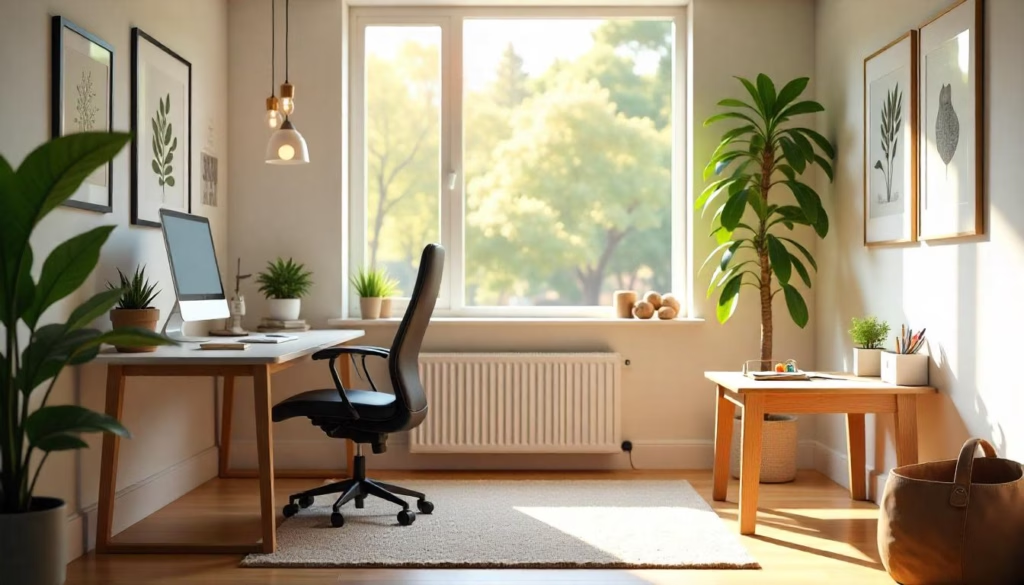
A family-friendly home office needs three things before décor: a clearly defined work zone, safe and adjustable equipment, and household rules for noise, privacy and interruptions. Start with the room and schedule you already have, not an idealized renovation. Separate focused work from children’s activity where possible, secure cables and confidential materials, then test the arrangement for one week before buying more furniture.
Map the people, tasks and pressure points
Draw the room and list who uses it, at what times and for which activities. An adult video call, a child’s homework, craft storage and a printer create different noise, supervision, privacy and surface needs. Mark doors, windows, outlets, walking paths and anything that cannot move. Add times when two activities collide.
This map determines whether you need separate zones, staggered schedules or a portable setup. A dedicated room is helpful, but a wall-facing desk, folding screen, rolling cart or packed-away laptop station can establish boundaries in a smaller home. Do not place a desk where the chair blocks an exit or cables cross a walkway.
Create four functional zones
- Adult focus zone: primary screen, input devices, task light and materials used every day.
- Shared or study zone: an age-appropriate surface for homework or short projects, if supervision and noise allow it.
- Storage zone: closed or high storage for work records, tools, medicines, batteries and fragile equipment; accessible bins for safe supplies.
- Reset zone: a defined place where chargers, papers and portable equipment return at the end of the day.
Not every family should share one room during work. Confidential meetings, safety-sensitive tasks or work requiring uninterrupted concentration may require a closed door, a different schedule or an approved alternate location. Remote work should not be described as simultaneous childcare.
Set up the workstation
Use the OSHA checklist as a structured review rather than a shopping list. Aim for a stable chair and work surface, a screen positioned to avoid persistent neck bending, input devices that allow relaxed shoulders and wrists, adequate light without glare, and enough space to change posture. Long laptop sessions often benefit from separating the screen from the keyboard and pointing device.
Children are not scaled-down adults. A surface that forces feet to dangle or shoulders to lift is not a good long session setup. Use age-appropriate guidance and change the setup as a child grows. Anyone with pain, disability or a medical concern should seek qualified advice rather than rely on a general article.
Safety and privacy scan
Walk the room from a child’s height and then from the doorway. Secure trailing cables, unstable shelves, hot drinks, sharp tools and small batteries. Keep confidential documents and work devices out of casual reach. Use screen locking and headphones when appropriate, but do not let noise cancellation remove awareness needed for household safety.
Check the video background and microphone pickup. A blank wall is less important than preventing private family information, school details, client data or household conversations from entering a call. Follow the employer’s security and workspace rules.
Household boundary plan
Agree on a small signal system: door closed means do not interrupt except for an emergency; a visible timer shows the next available break; a shared note or hand signal handles non-urgent needs. Explain the rules in age-appropriate language and build predictable connection points into the schedule. A boundary that never allows a child to reconnect is unlikely to hold.
Partners or housemates should define who owns quiet periods, calls and caregiving coverage. Put recurring high-stakes meetings on a shared calendar. Have a backup for school closure, illness or a critical call; the backup might be schedule adjustment, leave, another caregiver or a different workspace, depending on circumstances.
What to prepare before changing the room
Prepare a simple floor sketch, use schedule, outlet and cable map, storage inventory, employer privacy requirements and a list of discomfort or interruption problems. Apply the safest free adjustments first, then check whether equipment or a qualified assessment is actually needed. This prevents décor purchases from hiding the real constraint.
Seven-day workspace experiment
For one week, record interruptions, discomfort, noise conflicts, items you repeatedly search for and moments when privacy failed. At the end, choose only the two highest-impact changes. Move the screen, add a cable route, change call times or relocate supplies before purchasing a new desk.
Test again. UCLA’s guidance supports incremental changes because one adjustment can be evaluated before a sweeping redesign. The goal is a sustainable routine, not a showroom image.
Quick questions
Can a home office double as a child’s study area? Sometimes, if scheduling, supervision, privacy, ergonomics and noise are workable.
What should I buy first? Fix free layout and adjustment problems first. Use a checklist before purchasing.
Where should the desk face? Choose a position that controls glare, supports privacy and keeps safe circulation; there is no universal direction.
How do I reduce interruptions? Combine clear signals, predictable breaks, shared calendars and realistic childcare or household coverage.
Choose your next step
Keep your momentum with practical tools and verified remote-work opportunities.
Related guides for your next step
A fresh, topic-aware mix from the WorkinVirtual library. Suggestions rotate regularly.





Discuss this guide
Ask a useful question, share relevant experience, or add a practical correction. Helpful contributions publish immediately after automated safety checks.
Start a thoughtful discussion
Be the first member to add a question or practical insight about this topic.
Join the discussion
Sign in with your verified WorkinVirtual account to contribute. Automated safety checks keep posting quick and protect the community.
Sign in to contribute