


Remote work-life balance improves when work has visible start and stop cues, realistic workload limits, protected breaks and a way to escalate chronic overload. Set core availability with your manager, separate urgent from merely fast, disable nonessential alerts outside agreed hours and use a shutdown routine. Adapt the plan for caregiving, disability, time zones and job requirements. Individual habits help, but they cannot fix unsafe staffing or persistent organizational stress by themselves.
Use these examples to decide which changes you can make yourself and which require a conversation with your manager.
What readers need to know
Work-related fatigue can affect safety and health; schedule design, rest opportunities and organizational practices matter alongside personal habits.
A boundary is more usable when it names the behavior, exception and escalation route—for example, when notifications are off and who may call for a real emergency.
Remote workers may need reasonable accommodation for disability-related barriers; arrangements should be discussed through the applicable employer process.
If distress is severe or persistent, a qualified health professional or local crisis resource is more appropriate than a productivity checklist.
Application and decision steps
- Map required hours, meetings, caregiving, commute-free personal time and genuine emergency coverage.
- Agree on core availability, response-time expectations and how priorities change when capacity is full.
- Create a physical or digital start cue and a documented shutdown routine.
- Schedule breaks and focus blocks, then mute nonessential alerts outside agreed availability.
- Use a one-week workload log to identify recurring overload rather than judging one difficult day.
- Raise structural issues with a manager, worker representative, HR or occupational-health resource as appropriate.
- Review the experiment after two weeks and keep only boundaries that are realistic, safe and accessible.
Start each application from the verified official domain. Record the legal entity, job ID, final destination, work location, schedule and evidence date. Do not rely on a copied form, paid-access page, recruiter message or stale aggregator when the official source differs. Recheck the posting before every interview.
Skills and evidence
Priority evidence includes workload planning, boundary communication, time-zone coordination, prioritization, recovery planning, self-advocacy. Present claims as requirement → context → action → measurable result → proof, defining the metric, denominator, time period and personal versus team contribution. Use public, synthetic or explicitly permitted material. Never invent employment, credentials, licenses, clearance, pay, results or selection probability, and never expose customer, patient, employee, source-code, legal, security or commercial secrets.
A strong portfolio states the problem, inputs, constraints, alternatives, decision, test, outcome, limitations and what changed. A weak portfolio is a tool list, unexplained percentage, employer screenshot or artifact the reviewer cannot safely inspect.
Try one boundary for two weeks
Choose one change, such as setting a shutdown time or reducing notifications during focus work. Note which interruptions changed and whether the team still received what it needed. Decide which boundary to keep and which workload or coverage issue to discuss with your manager.
Verification, privacy and safety
Match recruiter domain, job ID, legal entity and application destination. Reject fees, cryptocurrency, gift cards, fake checks, equipment purchases and messaging-only recruitment. FTC job-scam guidance provides general warning signs, but the verified employer route controls.
Keep personal records and material from employers or contacts private. Ask permission before sharing work samples, quotes or other evidence that identifies someone else.
FAQ
Is work-life balance entirely my responsibility?
No. Personal routines matter, but workload, staffing, management expectations, schedule control and workplace policy also shape risk.
Should I keep the same hours every day?
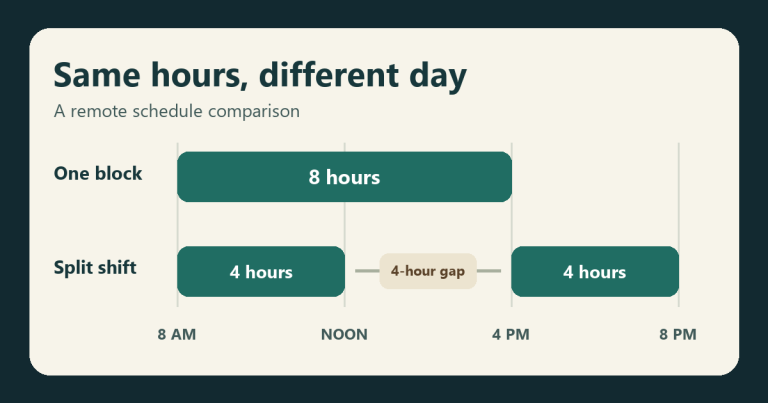
Consistency can help, but the right schedule depends on role coverage, caregiving, access needs and agreed employer expectations.
How do I handle messages after hours?
Clarify expected response times and emergency channels. Silence nonessential alerts when off duty unless your role has an agreed on-call arrangement.
What if remote work is affecting my health?
Document the pattern, use employer or occupational-health resources and seek qualified medical help when needed. Accommodation rules vary by jurisdiction.
Official and primary sources
- NIOSH working from home guidance — https://www.cdc.gov/niosh/bulletin/2020/working-from-home.html
- NIOSH fatigue information — https://www.cdc.gov/niosh/fatigue/about/index.html
- NIOSH stress at work publication — https://www.cdc.gov/niosh/docs/99-101/default.html
- EEOC disability and employment decisions — https://www.eeoc.gov/disability-discrimination-and-employment-decisions
- CareerOneStop job-search resources — https://www.careeronestop.org/JobSearch/job-search.aspx
Use these sources to check the guidance and confirm the details that apply to your situation.
Choose your next step
Keep your momentum with practical tools and verified remote-work opportunities.
Related guides for your next step
A fresh, topic-aware mix from the WorkinVirtual library. Suggestions rotate regularly.





Discuss this guide
Ask a useful question, share relevant experience, or add a practical correction. Helpful contributions publish immediately after automated safety checks.
Start a thoughtful discussion
Be the first member to add a question or practical insight about this topic.
Join the discussion
Sign in with your verified WorkinVirtual account to contribute. Automated safety checks keep posting quick and protect the community.
Sign in to contribute