

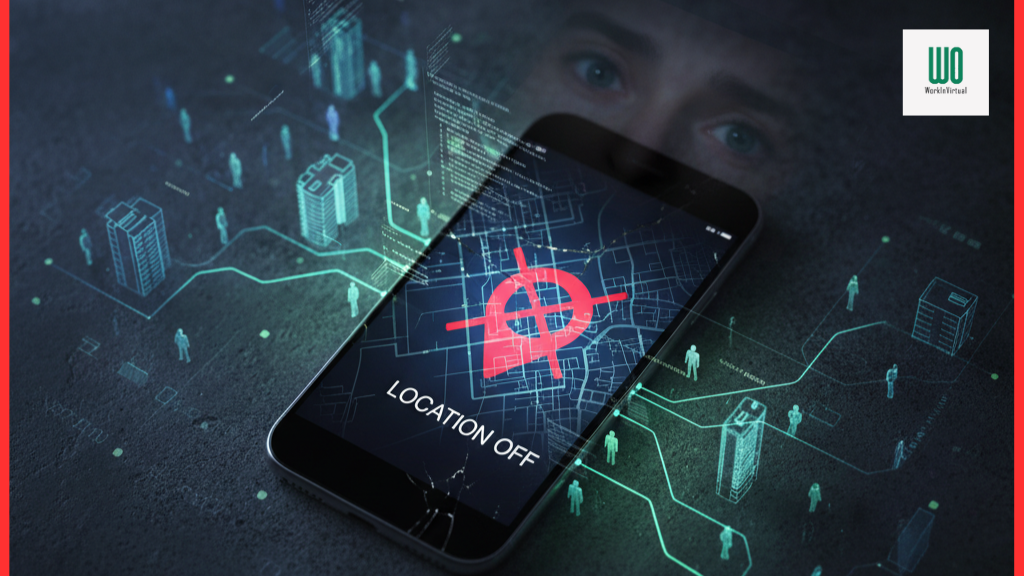
Turning off a single location switch is not a universal invisibility control. Phones and laptops can estimate or reveal location through GPS, nearby Wi-Fi, cellular networks, Bluetooth, IP addresses, account activity, app permissions, emergency features and—on managed devices—employer-approved security tooling. The safe response is to define the threat, review each device and account layer, keep unwanted-tracker alerts available, and never try to defeat lawful workplace controls.
This article must display a visible last verified date. Durable guidance must be separated from volatile facts such as a vacancy, deadline, location, work model, contract, eligibility, compensation, benefits or application method. Every volatile field must be checked against its exact official source on publication day. WorkinVirtual is independent and does not receive applications, represent the named employer or guarantee an outcome.
Decision and retained evidence
Before any release decision, export at least 16 months of GSC page/query data and page-level GA4 landing-page, engagement, official-source-click, tool-start, conversion and assisted-journey data. Audit backlinks, referring domains, internal links, citations and saves. Content gap: The 556-word legacy page turns a nuanced, operating-system-specific question into a universal accusation. It lacks separate device, app, account, network, emergency, tracker-alert and employer-device controls; it also lacks a safety path for suspected stalking.
The Phase 1 disposition is rebuild. It remains an editorial proposal. Analytics, backlink evidence, current official sources, legal or specialist review, destination completeness and owner approval may change it.
What readers need to know
Android documents that Location Accuracy can combine GPS, Wi-Fi access points, cellular towers and device sensors; it separately lets users manage precise-versus-approximate app permission and Wi-Fi/Bluetooth scanning. Apple documents that Location Services can use GPS, Bluetooth, Wi-Fi hotspots and cell towers, and that emergency location can operate under special conditions. These statements describe platform features, not proof that a specific person or employer is tracking a reader. A useful privacy review therefore starts with a threat model: accidental sharing, an over-permissioned app, account-level history, an unknown physical tracker, a network observer or a managed work device. Check the operating-system location dashboard, individual app permissions, browser site permissions, photo metadata, account sharing/history, family or device-finding features, Wi-Fi/Bluetooth scanning, and installed management profiles. On an employer-owned device, read policy and contact security rather than removing management controls. If an unknown tracker alert appears, follow the device maker’s safety instructions; if personal safety is at risk, move to a safe place and contact trusted local support or law enforcement.
Relevant roles or stakeholders include remote employee, freelancer, traveler, IT administrator, privacy officer, security team, domestic-violence advocate and device owner. These are navigation and planning examples, not evidence of current openings or legal requirements. The exact official notice, policy or regulator controls. Avoid “latest,” “best,” “high-paying,” “lucrative,” “guaranteed” and “now hiring” unless the wording is narrowly sourced and time-bounded.
Application steps
- Write the concrete concern: which person or system might learn which location, through which device or account, and what harm could follow.
- Inventory personal and work phones, laptops, browsers, accounts, wearables, vehicle apps and physical trackers; label ownership and management status.
- Review OS location settings and each app’s precise, approximate, background and one-time permissions; remove access that is not needed.
- Review Wi-Fi/Bluetooth scanning, browser permissions, photo metadata, shared albums, Find My or device-finding groups and account location/history settings.
- Keep emergency and unwanted-tracker protections in mind; do not disable a safety feature merely to satisfy a generic checklist.
- For employer-managed equipment, ask IT or security what telemetry is collected, its purpose, retention and access; use a personal device for personal activity where policy allows.
- Record changes and recheck after OS or app updates. If there is suspected stalking, preserve alerts and seek safety-oriented help before confronting anyone.
For applications, always use the verified official route and exact requisition. For operational guidance, document owners, definitions, denominators, review cadence and escalation. Never substitute a scraped form, paid access, opaque scoring or surveillance for a legitimate decision process.
Skills and evidence
Priority evidence includes threat modeling, permission review, account-security review, managed-device policy reading, metadata hygiene, tracker-alert handling, evidence preservation and escalation. Present evidence as requirement → context → action → measurable result → proof, clearly separating personal contribution from team outcomes. Use synthetic, public or explicitly permitted portfolio examples. Do not invent credentials, employment, salary, license, clearance, language fluency, results or selection probability. Never expose customer, patient, employee, source-code, security or commercially confidential data.
Engagement design
Use a no-login privacy-layer checklist with separate cards for device, app, browser, account, network, tracker and managed-work-device controls. Let readers mark reviewed/not applicable/needs help locally in the browser and export a plain-text action list without sending settings or location data to WorkinVirtual.
Useful next actions may include opening an official source, completing a checklist, saving a role, tailoring a resume, practicing an interview, comparing a metric definition or recording a review action. Instrument only after consent and analytics governance. Do not use fake countdowns, auto-refreshing vacancy counts, forced registration, dark patterns or a quiz that predicts hiring or business success.
Verification, privacy and safety
Do not promise anonymity, claim a device is untrackable or provide instructions to evade law enforcement, workplace security or a protective order. Do not ask readers to upload screenshots containing addresses, device identifiers or account names. Unknown-tracker scenarios can involve personal danger; prioritize official safety instructions and local support.
For employment content, match the recruiter domain, requisition, legal entity and final application destination. Reject fees, cryptocurrency, fake checks and messaging-only recruitment. The FTC job-scam guide at https://consumer.ftc.gov/articles/job-scams supplies general warning signs, but the current employer route controls. For business guidance, minimize personal data, restrict access, document retention and use aggregate reporting where possible.
WorkinVirtual must show author and reviewer ownership, an independent-site disclosure, a correction path and a dated maintenance record. When a current official source conflicts with this draft or a third-party page, the current official source controls. High-risk legal, employment, privacy, security or health claims need a qualified reviewer.
FAQ
Does turning off GPS stop all location estimates?
No. Depending on device and settings, Wi-Fi, cellular, Bluetooth, IP-based estimates, account activity or emergency functions may still matter. Review the exact platform controls.
Should I turn off Bluetooth completely?
Not automatically. Bluetooth supports legitimate devices and unwanted-tracker alerts. Review permissions and scanning separately, based on your threat model.
Can my employer see my location?
It depends on device ownership, management software, applications, network use, policy and law. Ask for the applicable policy and do not infer collection from a generic article.
What if I receive an unknown-tracker alert?
Follow Apple or Android’s official instructions, preserve useful evidence, move to safety if needed and contact trusted local help or law enforcement when appropriate.
Can WorkinVirtual check my phone?
No. This guide is educational and should not collect device configuration, location history or safety-sensitive evidence.
Official and primary sources
- Google Android — How Location Accuracy improves location — https://support.google.com/android/answer/15157297?hl=en
- Google Android — Find unknown trackers — https://support.google.com/android/answer/13658562?hl=en
- Apple Support — Privacy and Location Services — https://support.apple.com/en-gb/102515
- Apple Support — Unwanted tracking alerts — https://support.apple.com/en-us/119874
- NIST Privacy Framework — https://www.nist.gov/privacy-framework
These sources establish the entity, current verification route, measurement model or regulatory context. They do not by themselves prove a legacy vacancy remains open or a tactic guarantees results. Reopen and date-stamp evidence on release day; remove any claim a source no longer supports.
Choose your next step
Keep your momentum with practical tools and verified remote-work opportunities.
Related guides for your next step
A fresh, topic-aware mix from the WorkinVirtual library. Suggestions rotate regularly.






Discuss this guide
Ask a useful question, share relevant experience, or add a practical correction. Helpful contributions publish immediately after automated safety checks.
Start a thoughtful discussion
Be the first member to add a question or practical insight about this topic.
Join the discussion
Sign in with your verified WorkinVirtual account to contribute. Automated safety checks keep posting quick and protect the community.
Sign in to contribute